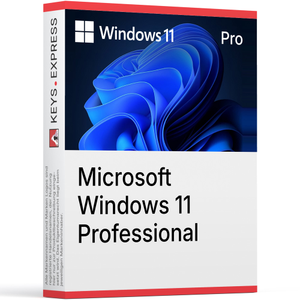
Cosa include Microsoft Windows 11 Professional? Pro Desktop – Desktop Windows 11 completo con funzionalità aziendali.Crittografia BitLocker – Crittografia completa dell'unità per volumi interni ed esterni.Virtualizzazione Hyper-V – Hypervisor nativo per l'esecuzione di macchine virtuali isolate.Desktop remoto – Ospita sessioni RDP in entrata, non solo connessioni in uscita.Adesione al dominio – Supportata l'adesione a Active Directory locale e Microsoft Entra ID.Capacità di base – Supporta fino a 2 TB di RAM e 2 socket CPU. Quali sono i principali vantaggi di Microsoft Windows 11 Professional? Windows 11 Pro è il sistema operativo desktop di livello aziendale di Microsoft, basato sullo stesso nucleo di Home ma con funzionalità aggiuntive di gestione, crittografia e virtualizzazione. È destinato agli utenti che hanno bisogno di collegarsi a una rete aziendale, crittografare intere unità o eseguire macchine virtuali senza installare software di terze parti.Criteri di gruppo – È disponibile la modifica dei criteri di gruppo locali e di dominio.Windows Sandbox – Desktop virtuale usa e getta per testare file non attendibili.Controllo aggiornamenti – Possibilità di posticipare gli aggiornamenti delle funzionalità tramite Windows Update for Business.Successore di WIP – Protezione moderna dei dati degli endpoint tramite l'integrazione con Intune.Accesso assegnato – Blocco del dispositivo su una singola applicazione in modalità chiosco.Licenza Pro – Idoneo per Microsoft Entra ID e registrazione al dominio. Windows 11 Home vs Windows 11 Pro: qual è la differenzaPanoramica comparativa delle differenze tra le due edizioni in termini di BitLocker, Hyper-V, hosting RDP e adesione al dominio. Cosa fa Windows 11 Pro? Windows 11 Pro funziona come sistema operativo desktop principale su un PC e aggiunge funzionalità orientate al business rispetto a Windows 11 Home. Esempi pratici sono la crittografia di un intero SSD con BitLocker prima di portare un laptop in viaggio d'affari, l'adesione di una workstation all'Active Directory aziendale in modo che gli account utente e le politiche siano gestiti centralmente, o l'esecuzione di una macchina virtuale Windows in modalità sandbox all'interno di Hyper-V per testare un programma di installazione sospetto senza toccare l'host. L'interfaccia è identica a quella di Home, inclusi i layout Snap, i widget e il menu Start ridisegnato, quindi la differenza è principalmente sotto il cofano. A chi è più adatto Windows 11 Pro? È destinato a workstation gestite dall'IT, sviluppatori, utenti esperti e PC di piccole imprese che necessitano di adesione al dominio o virtualizzazione locale. Rispetto alla versione Home, il vantaggio concreto è che la stessa macchina può essere aggiunta a un Active Directory aziendale o a un tenant Entra ID e ricevere impostazioni di Criteri di gruppo o Intune — un flusso di lavoro che la versione Home blocca nella fase di adesione. Gli sviluppatori traggono vantaggio da Hyper-V perché i container Windows di Docker Desktop, WSL 2 in scenari annidati e Windows Sandbox si basano tutti sulla piattaforma Hyper-V che Home non espone. Windows 11 Home e Windows 11 Pro: chi ha bisogno di cosa e perché?Guida pratica alla scelta tra Home e Pro in base a flussi di lavoro reali, hardware e requisiti aziendali. Come si confronta Windows 11 Pro con Home ed Enterprise? Windows 11 Pro si colloca tra Home ed Enterprise. La differenza principale rispetto a Home riguarda la gestione e la sicurezza (BitLocker, Hyper-V, hosting RDP, adesione al dominio). La differenza principale rispetto a Enterprise è rappresentata dagli strumenti avanzati di sicurezza e distribuzione come Credential Guard, Application Control for Business (precedentemente Windows Defender Application Control), DirectAccess e AppLocker, che non sono completamente inclusi in Pro. Per la maggior parte degli acquirenti non aziendali, Pro è l'edizione più avanzata che si può ottenere al di fuori di un contratto aziendale. FunzionalitàWindows 11 HomeWindows 11 ProWindows 11 Enterprise Crittografia unità BitLocker ✕ ✓ ✓ Hyper-V ✕ ✓ ✓ Hosting Desktop remoto ✕ ✓ ✓ Integrazione con Active Directory ✕ ✓ ✓ Integrazione con Microsoft Entra ID ✕ ✓ ✓ Windows Sandbox ✕ ✓ ✓ Credential Guard ✕ ✕ ✓ RAM massima 128 GB 2 TB 6 TB Windows 11 Pro supporta l'adesione a Active Directory locale e a Microsoft Entra ID? Sì — Windows 11 Pro supporta sia l'adesione al dominio Active Directory locale tradizionale che l'adesione a Microsoft Entra ID (precedentemente Azure AD), inclusi gli scenari ibridi. Nel lavoro quotidiano dell'IT, questa è la funzionalità che consente a un dispositivo Pro appena configurato di acquisire GPO, unità mappate, connessioni alle stampanti e criteri Intune dal tenant aziendale durante il primo accesso. La versione Home non consente affatto la procedura di aggiunta, quindi un dispositivo Home non può ricevere criteri di gruppo o effettuare l'accesso aziendale nemmeno sulla stessa rete. La configurazione è accessibile in Impostazioni → Account → Accedi al lavoro o alla scuola, oppure tramite l'esperienza Out-of-Box quando viene inserita un'e-mail di lavoro. Windows 11 Pro include la crittografia completa del disco con BitLocker? Sì: Pro include la crittografia completa del disco con BitLocker con opzioni di gestione che la crittografia di base dei dispositivi Home non offre. Pro consente di crittografare l'unità del sistema operativo, le unità dati fisse e le unità rimovibili (BitLocker To Go), scegliendo tra AES-128 o AES-256, sospendendo la protezione durante gli aggiornamenti del firmware ed eseguendo il backup delle chiavi di ripristino su Active Directory, Entra ID o un file stampato. Home offre solo una "crittografia del dispositivo" semplificata sui sistemi che soddisfano i requisiti di Modern Standby, senza controllo granulare e senza BitLocker To Go per le chiavette USB. Per un laptop che esce dall'ufficio, questa è la differenza tra un dispositivo smarrito che rappresenta una perdita hardware e una violazione dei dati. Windows 11 Pro può ospitare sessioni di Desktop remoto ed eseguire Hyper-V? Sì a entrambe le domande. Pro può fungere da host di Desktop remoto, il che significa che un altro PC o un client RDP mobile può connettersi al computer Pro e utilizzarlo da remoto — Home include solo il lato client e non può accettare connessioni RDP in entrata. Pro include anche il ruolo Hyper-V come funzionalità opzionale di Windows, quindi le macchine virtuali e Windows Sandbox funzionano in modo nativo senza VirtualBox o VMware. Gli accessi RDP simultanei sono limitati a una sessione interattiva per dispositivo per impostazione predefinita, che è il limite documentato per il desktop Windows e non un obiettivo di workaround. Cosa devono verificare gli utenti prima di scegliere Windows 11 Pro? Il limite inderogabile è l'hardware: Windows 11 richiede TPM 2.0, UEFI con funzionalità Secure Boot e una CPU presente nell'elenco supportato da Microsoft — i PC Windows 10 più vecchi potrebbero superare i controlli relativi a RAM e spazio di archiviazione, ma fallire quelli relativi a CPU o TPM. Eseguite l'app PC Health Check o controllate Impostazioni → Privacy e sicurezza → Sicurezza del dispositivo → Processore di sicurezza prima dell'acquisto. Pro richiede inoltre un account Microsoft o un account aziendale/scolastico durante la configurazione iniziale nei percorsi di installazione standard; un account locale completamente offline non è più offerto nell'OOBE predefinito. Si noti che Pro non include Credential Guard, AppLocker o DirectAccess, che sono disponibili solo nella versione Enterprise. Fine del supporto per Windows 10 — e come questo influisce sulle decisioni di aggiornamentoInformazioni di base sul ciclo di vita di Windows 10, sulle opzioni di sicurezza estese gratuite e su quando ha senso passare a Windows 11 Pro. Windows 12: speculazioni e fatti sul prossimo sistema operativoCosa si sa attualmente sulla prossima generazione di Windows e come l'acquisto di Windows 11 Pro si inserisce in tale roadmap. Domande frequenti su Microsoft Windows 11 Professional È necessario un account Microsoft per configurare Windows 11 Pro? Nell'esperienza predefinita Out-of-Box Experience, Windows 11 Pro richiede un account Microsoft o un account aziendale/scolastico per completare la configurazione, oltre a una connessione Internet durante tale fase. I dispositivi aggiunti al dominio possono accedere in seguito con l'account di dominio, ma il flusso OOBE iniziale richiede un account online. Can a Windows 11 Home device be upgraded to Pro later? Yes, an existing Windows 11 Home installation can be upgraded directly to Pro without reinstalling Windows.Important: This upgrade does not require the standard full version of Windows 11 Pro, but rather the Windows 11 Professional Upgrade product, which is specifically designed for this purpose. A regular Pro license is intended for the initial activation of a standalone Pro installation and not for the in-place upgrade of a device already running Home. Here’s how the upgrade works: Open “Settings” → “System” → “Activation” and select the option to change the product key or upgrade the Windows edition. Enter the key from the Windows 11 Professional Upgrade product. After a restart, Windows 11 Pro will be available, while installed apps, files, and user accounts will be fully preserved. Pro features that will then be available include BitLocker, Hyper-V, and the Local Group Policy Editor. Can I upgrade Windows 11 with a Windows 11 Professional key? No! A standard Windows 11 Professional key is not the correct product for upgrading an existing Windows 11 Home installation to Pro. This key is intended for activating a full, standalone Pro installation—such as a fresh install or system rebuild. To upgrade a running Home device to Pro while retaining all data and programs, use the Windows 11 Professional Upgrade product. The process is straightforward: Go to “Settings” → “System” → “Activation,” change the product key, enter the upgrade key, and restart the device. After the restart, Windows 11 Pro will be activated—without a fresh installation and without losing any apps, files, or user accounts. Windows 11 Pro include Microsoft Office? No: Office è un prodotto separato. Un'installazione pulita di Windows 11 Pro include solo i collegamenti web gratuiti di Office e l'app Outlook per Windows; le applicazioni desktop Word, Excel e PowerPoint devono essere acquistate e installate separatamente. Windows 11 Pro funziona senza TPM 2.0? No, non sulle installazioni supportate. Microsoft richiede TPM 2.0 e Secure Boot per Windows 11, e gli aggiornamenti delle funzionalità sono progettati sulla base di questi requisiti. Esistono soluzioni alternative non supportate, ma bloccano gli aggiornamenti garantiti dei driver e di sicurezza, il che le rende inadatte per un computer di lavoro in produzione.